Client downloads
Cherry Studio: download and setup guide (Windows / macOS)
Download Cherry Studio from its official site, enter your Xisu AI key and endpoint, and start chatting in five minutes.
Cherry Studio is a free desktop AI client with chat, translation and knowledge-base features. Its website and downloads are reachable from mainland China without a VPN.
You need an API key first. If you don't have one yet, follow First steps: sign up, add funds, create a key.
1. Download and install
Open the official download page: https://www.cherryai.com.cn/download
On Windows, click Download Windows standard edition and run the installer. On macOS, switch to the macOS tab. If the download is slow, the page also links a Quark cloud-drive mirror.
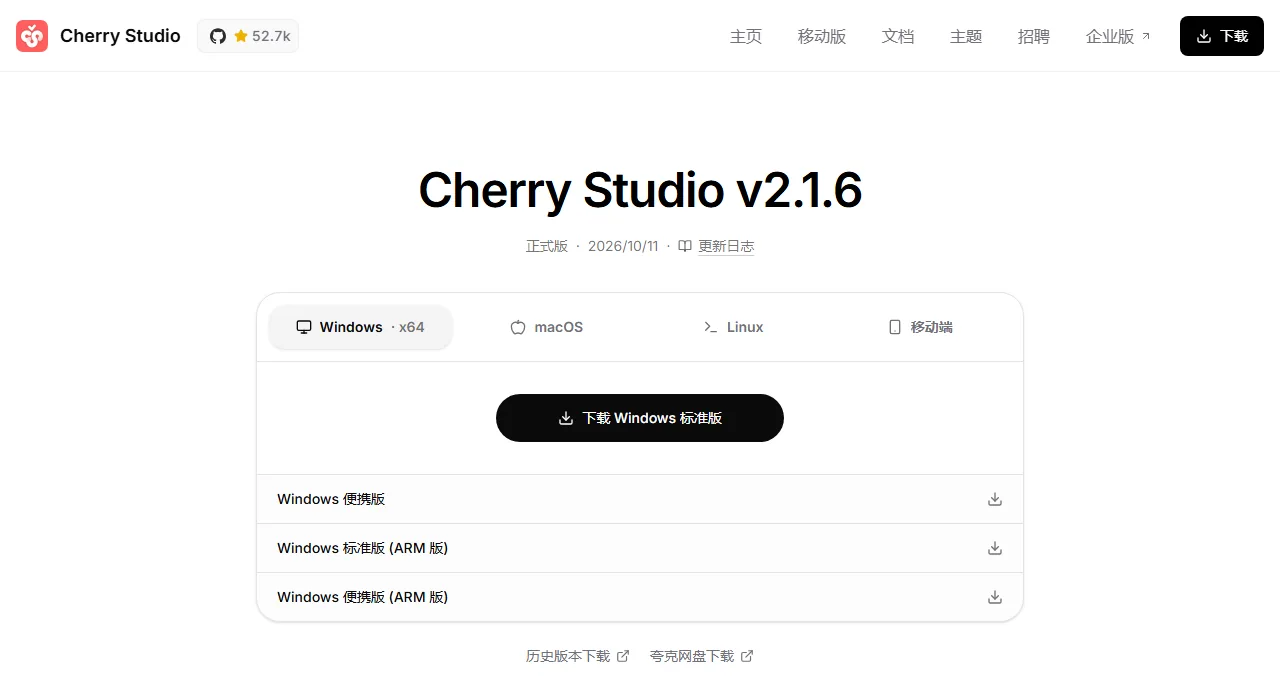
Download only from the official site. We do not host or redistribute any client installers.
2. Add Xisu AI as a provider
The first launch shows a welcome screen. Click Configure another provider.
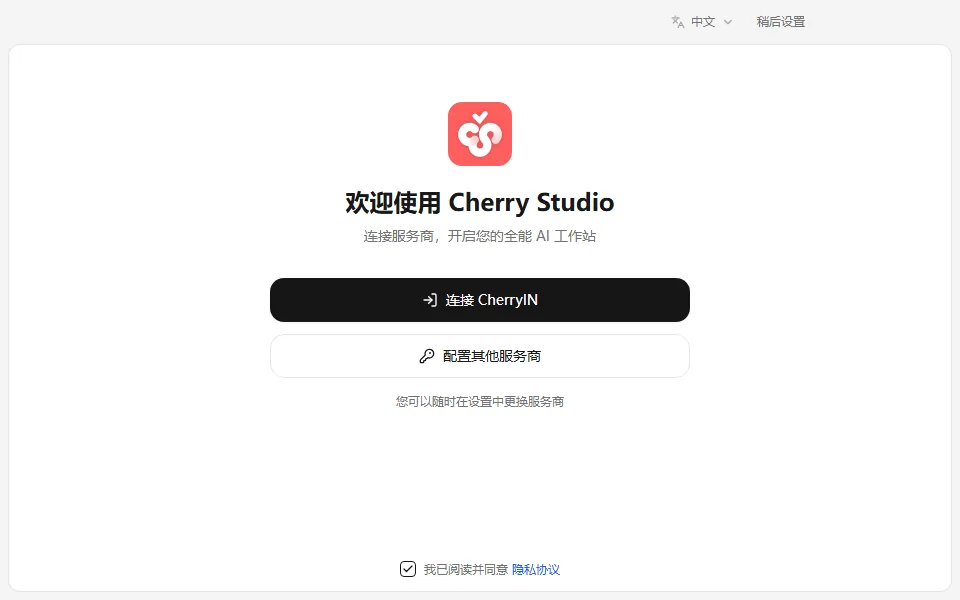
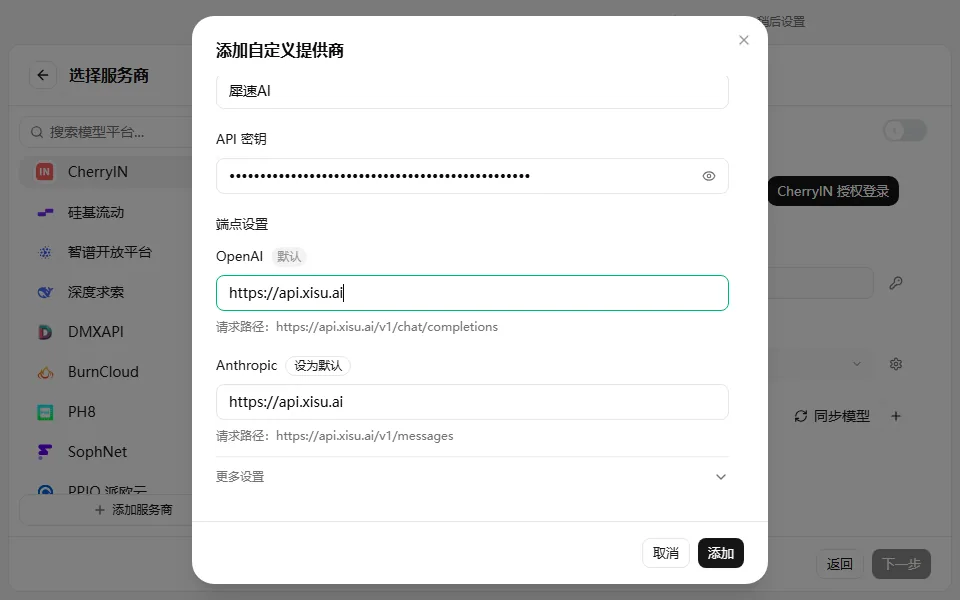
Click Add provider at the bottom left and fill in:
| Field | Value |
|---|---|
| Provider name | Xisu AI (any name you like) |
| API key | Paste your key |
| Endpoints → OpenAI | https://api.xisu.ai |
After filling the OpenAI field, click Set as default next to it. The request path below should read https://api.xisu.ai/v1/chat/completions. Then click Add.
3. Pick your models
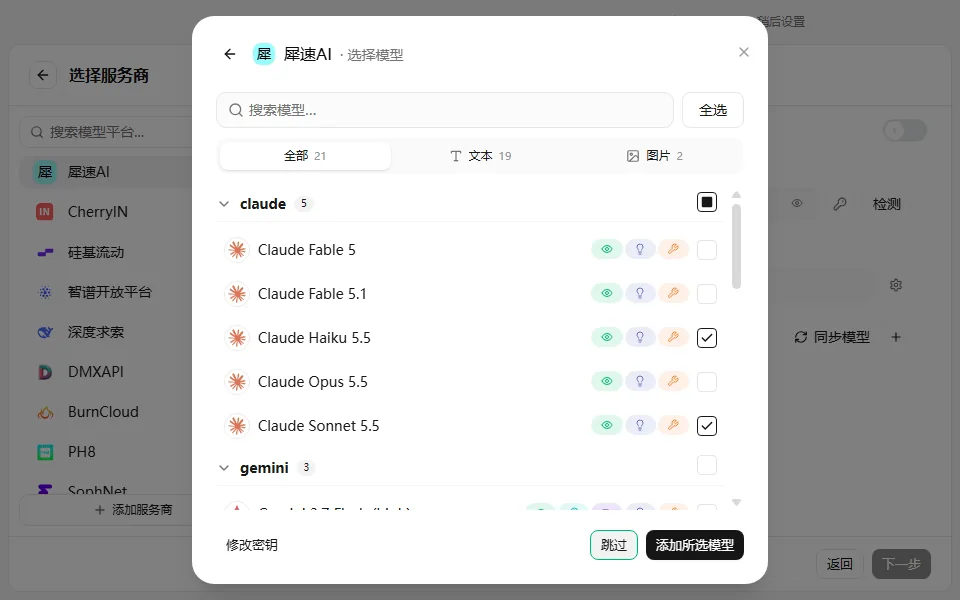
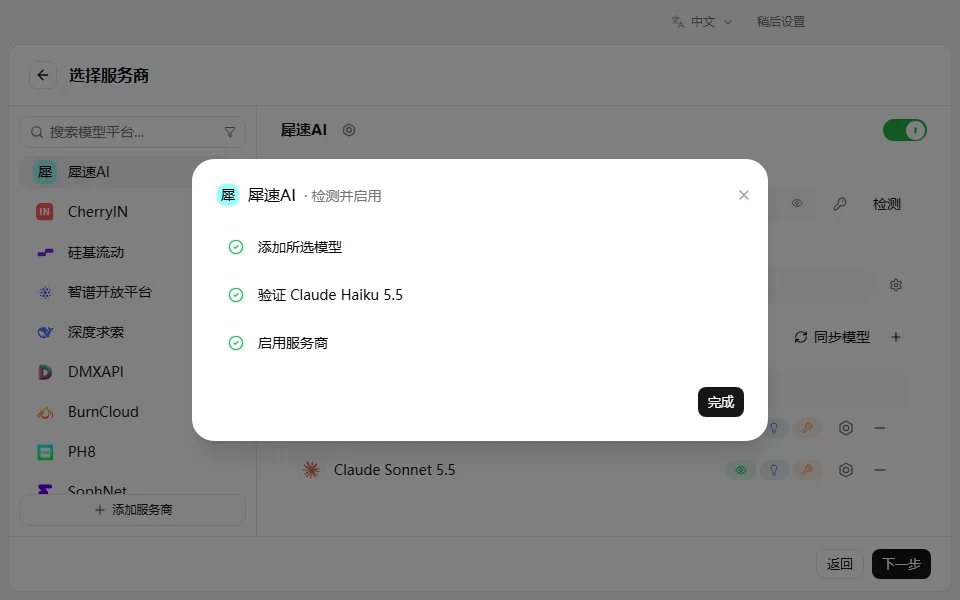
Cherry lists every model your account can use. Tick the ones you want (for example Claude Sonnet, Claude Haiku and a GPT model) and click Add selected models.
Cherry tests the connection. When all three checks are green, click Done, then Next.
4. Choose default models
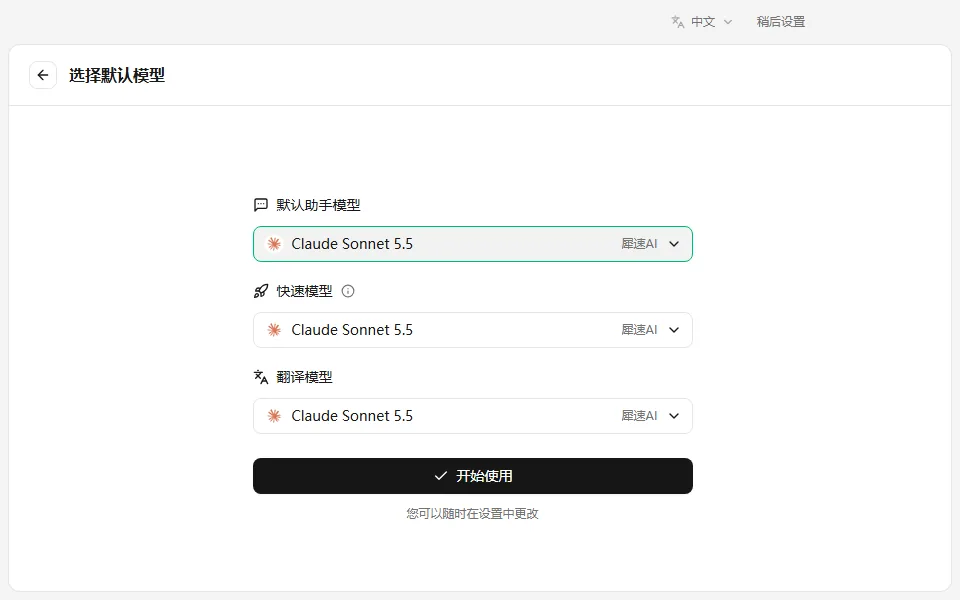
Pick the default assistant model, the quick model and the translation model, then click Start.
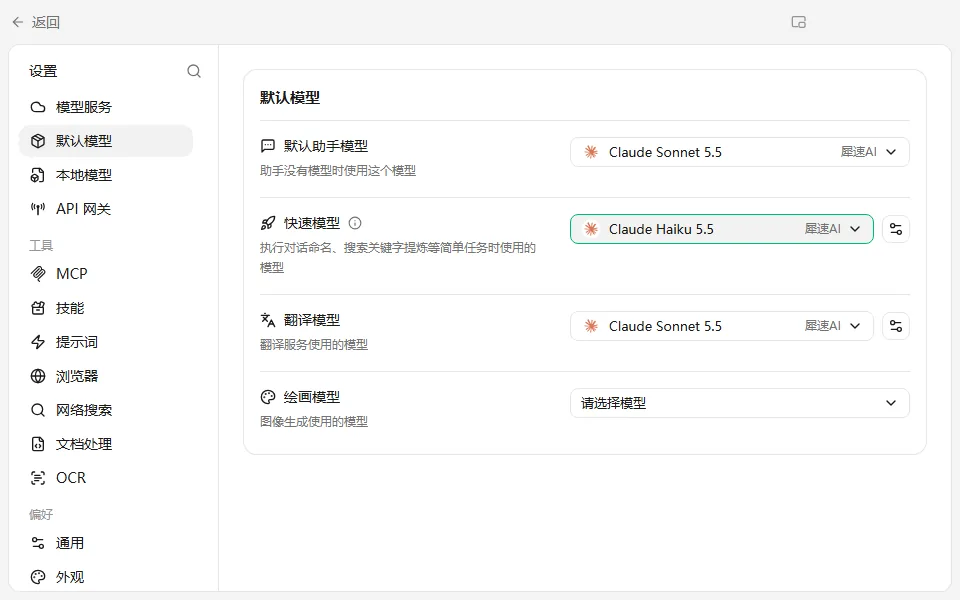
Set the quick model to Claude Haiku or a GPT model. The quick model writes conversation titles, and a few models show "Failed to generate topic name" at that step. Switching to Haiku fixes it and does not affect chatting. You can change this any time under Settings → Default models.
5. Send your first message
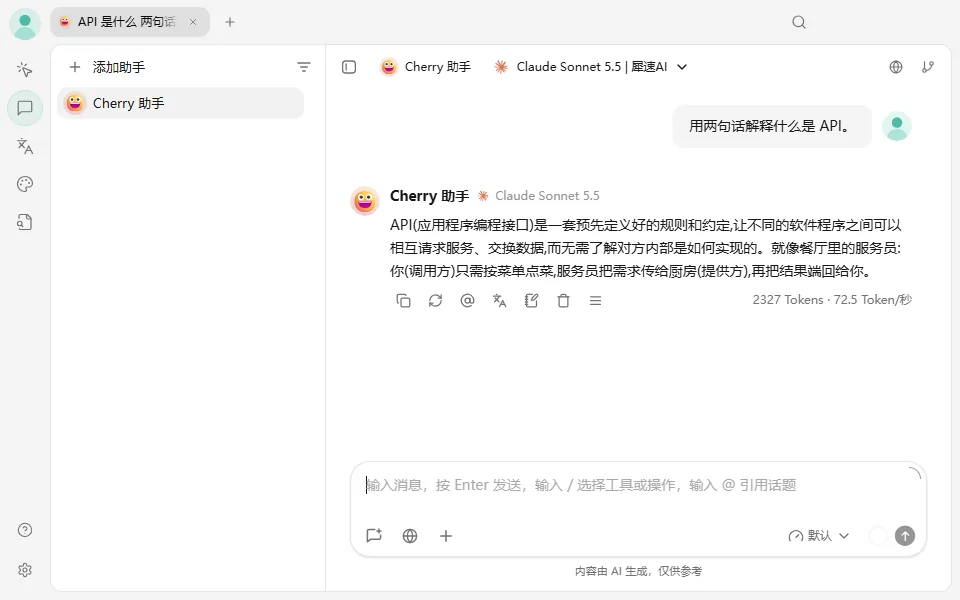
Click the Chat icon (second on the left), type a question and press Enter. A reply means you are connected.
If Cherry opens on the Agents page and asks "Enable API Gateway?", click Cancel and switch to the Chat page. Normal chatting does not need it.
Changing settings later
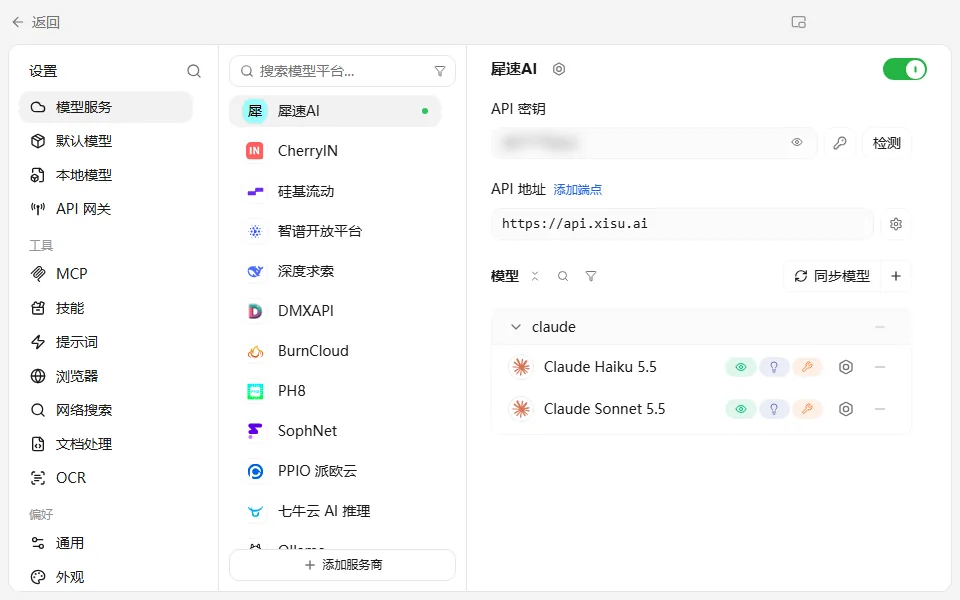
Under Settings → Model services → Xisu AI you can change the key, click Check to test the connection, or click Sync models to fetch newly added models.
Troubleshooting
401 or "invalid key": make sure the whole key was copied with no extra spaces. If the key was revoked, create a new one.
Insufficient balance: top up in the console under Billing center.
Empty model list: check that the OpenAI field is https://api.xisu.ai and set as default, then click Sync models.
One model fails but others work: that model is temporarily unavailable. Check its status on the Models page.