Client downloads
Codex (ChatGPT desktop app from the Microsoft Store) with Xisu AI
Install the ChatGPT desktop app from the Microsoft Store, add one config file and one environment variable, and Codex runs on Xisu AI models.
Codex is OpenAI's coding agent. On Windows it ships inside the ChatGPT desktop app from the Microsoft Store, which is downloadable from mainland China. With the setup below, Codex calls models through Xisu AI and does not need a ChatGPT login.
You need an API key first. If you don't have one yet, follow First steps: sign up, add funds, create a key.
1. Install from the Microsoft Store
Open the store page for ChatGPT (by OpenAI) and click Install. You can also search for "ChatGPT" in the Microsoft Store app; make sure the publisher is OpenAI.
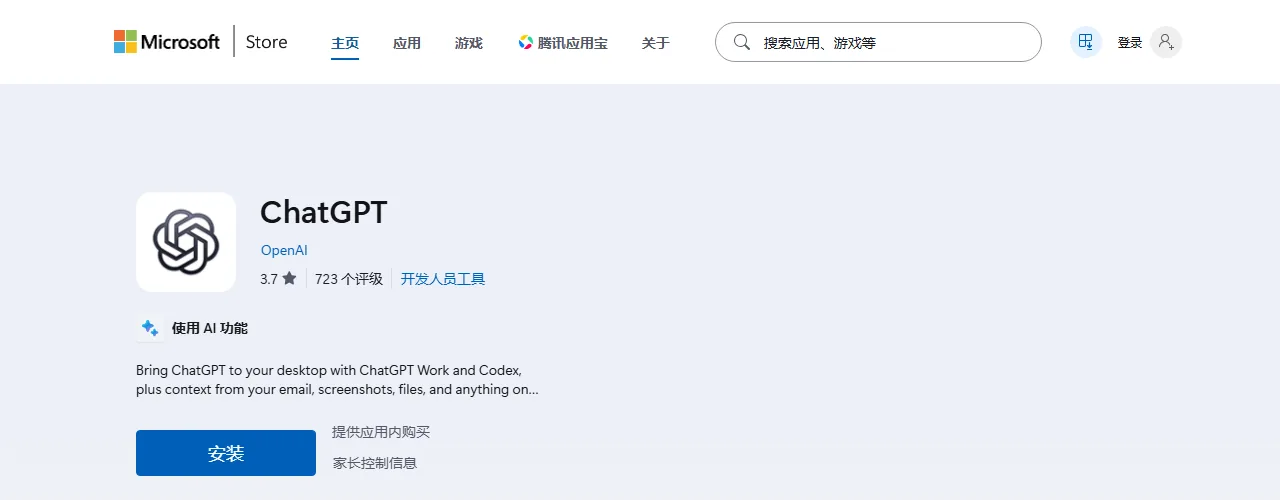
Don't open the app yet. Finish the next two steps first.
2. Create the config file
Open PowerShell from the Start menu, paste these two lines and press Enter:
New-Item -ItemType Directory -Force "$env:USERPROFILE\.codex" | Out-Null
notepad "$env:USERPROFILE\.codex\config.toml"
Notepad asks whether to create a new file; click Yes. Paste the following, press Ctrl + S, and close Notepad:
model_provider = "xisu"
model = "gpt-5.6-terra"

[model_providers.xisu]
name = "Xisu AI"
base_url = "https://api.xisu.ai/v1"
wire_api = "responses"
env_key = "XISU_API_KEY"
modelis the default model. You can use any model name from the Models page; GPT models are recommended for coding.- If the file already had content, put the first two lines at the very top and the
[model_providers.xisu]block at the end.
3. Store the key in an environment variable
The key goes into a Windows user environment variable instead of the config file, so the file can be shared without leaking the key. Back in PowerShell, replace the placeholder with your key and press Enter:
[Environment]::SetEnvironmentVariable("XISU_API_KEY", "paste-your-key-here", "User")
No output means it worked.
4. Open the app
Open ChatGPT from the Start menu, go to Codex, pick a project folder and give it a task (for example "Explain what this project does"). Codex now calls models through Xisu AI.
If the app was already open, quit it completely (including the tray icon) and start it again so it picks up the new environment variable.
Requests and costs appear in the console under Request log.
Troubleshooting
401 or invalid key: run step 3 again with the full key and no extra spaces, then fully restart the app.
Model not found or unavailable: change model in the config file to a model that is available on the Models page.
Switching back to your OpenAI account: delete the line model_provider = "xisu" from the config file.
Codex CLI: works the same way. The command-line version reads the same config file and environment variable.
ChatGPT chat inside the app: that part uses your ChatGPT account and is unaffected by this setup. This guide only routes Codex through Xisu AI.